
I Fixed 700 Laptops in My Whole Career. Here Are the 7 Faults That Cover Half the A+ Exam
Real repair work clusters around a handful of failures. Learn to recognise these seven and you have quietly covered a huge slice of the Core 1 troubleshooting domain.

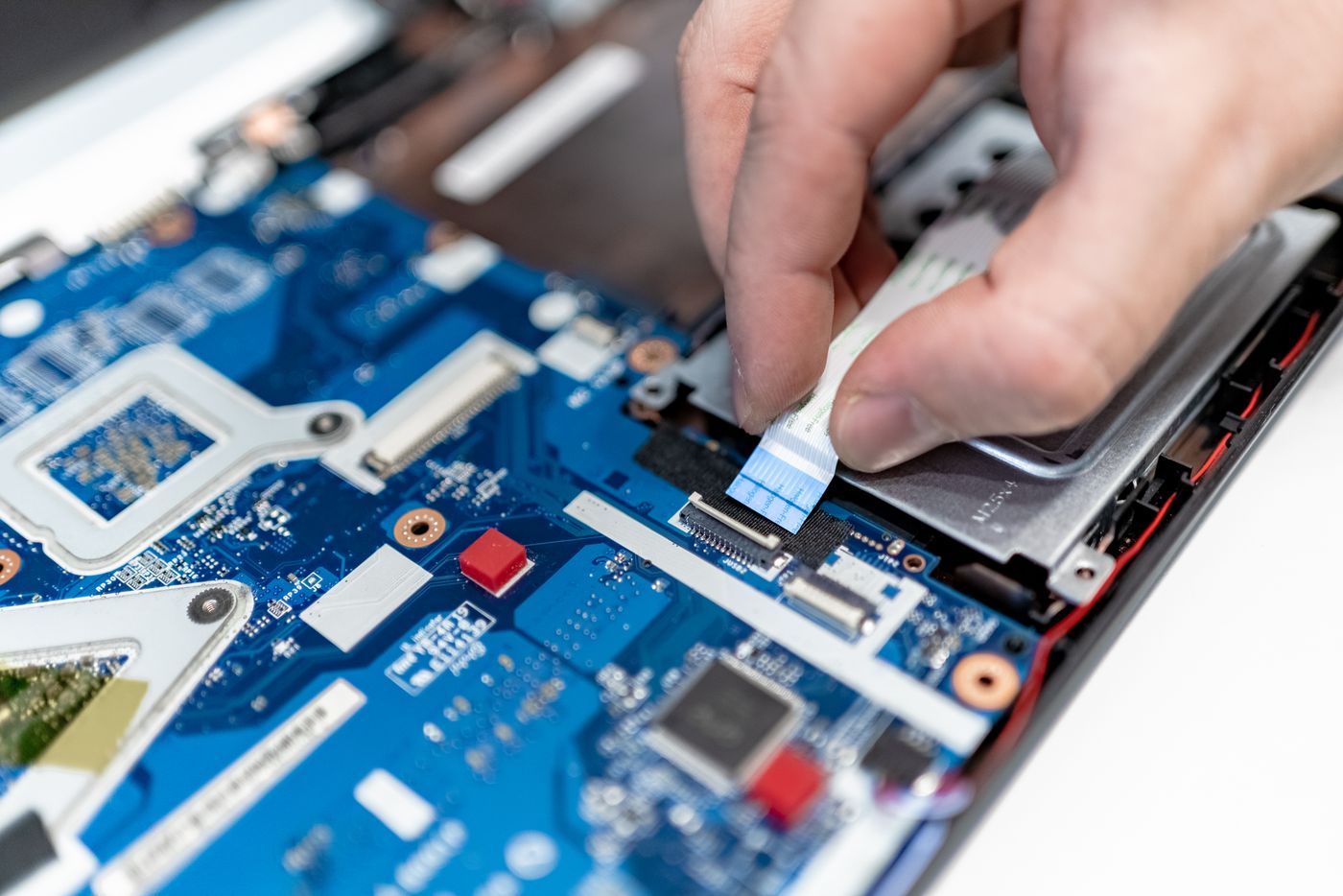
The seven faults
After enough years on a repair bench you stop seeing individual laptops and start seeing patterns. The same faults come back, over and over, in slightly different clothing. And here is the useful part for anyone studying CompTIA A+: those bench patterns map almost exactly onto the Core 1 troubleshooting domain, which is 28% of the exam.
Learn to recognise these seven, understand what causes each one, and you have covered the practical heart of A+ hardware troubleshooting — not as memorised facts, but as the reasoning the exam actually rewards.
1. No power, or power but no display
The first fork in every diagnosis: does anything happen when you press power? No lights, no fans — suspect the adapter, the DC jack, or the battery. Lights and fans but a black screen — the machine is running, so suspect the display path: backlight, panel, cable, or the integrated graphics.
The exam loves this distinction because it is the essence of the troubleshooting method: isolate whether you have a power problem or an output problem before you touch anything.
2. Overheating and shutdowns
A laptop that runs hot, spins its fan loudly, then abruptly shuts off is protecting itself. The cause is almost always blocked airflow — dust-clogged fins or dried-out thermal paste. On the exam, "shuts down under load" plus "hot to the touch" is a thermal question, and the fix is cleaning and re-pasting, not replacing the board.
3. Swollen battery
A trackpad that will not click flat, or a case bulging open, often means a swollen lithium battery. Do not puncture it, do not keep charging it. Core 2's operational-procedures domain tests exactly this kind of safe handling and disposal.
4. Failing storage
Slow boots, files that vanish, the machine hanging on the loading screen — classic signs of a dying drive. On a spinning hard disk you may hear clicking; on an SSD the failure is silent and sudden. The diagnostic reflex the exam wants is to check drive health, then image the data before doing anything else.
Check drive health before you act# Windows — SMART status at a glance
wmic diskdrive get status,model

# Full error scan and repair
chkdsk C: /f /r

# Linux — detailed SMART report
smartctl -a /dev/sda
5. Intermittent Wi-Fi
Drops on one machine but not others usually means a loose antenna lead or a power-management setting sending the adapter to sleep. The methodology matters here: establish whether it is one device or the whole network before you blame the router. That "is it just this machine?" instinct is worth marks across the whole troubleshooting domain.
6. Dim or dead backlight
If you shine a torch at a "dead" screen and can faintly see the desktop, the panel and graphics are fine — it is the backlight or its inverter that failed. That torch test is the exact kind of quick isolation step the exam rewards, because it splits one expensive repair (whole panel) from a cheap one (backlight).
7. Liquid damage
Sticky keys, odd behaviour, corrosion around the board. The right first move is counterintuitive: power off immediately and do not try to turn it on to "check if it works", because powering a wet board is what actually kills it. Knowing the correct sequence — disconnect power, remove battery, dry and clean before any power-on — is textbook Core 1 plus Core 2 safety.
None of this is memorisation. It is pattern recognition plus a repeatable method — which is precisely what A+ Core 1 is trying to measure. Learn the seven faults as stories, not flashcards, and the troubleshooting questions stop feeling like a quiz and start feeling like a Tuesday at the bench.
The order you check things in
Experienced technicians are not faster because they know more faults — they are faster because they check things in the right order. The principle is always "cheapest, most likely, least invasive first". Before you open a machine for a no-display fault, you try a known-good charger and an external monitor. Before you condemn a drive, you check its health status. Before you replace a whole panel, you shine a torch to see if the backlight is the real culprit. Each of those is a two-minute test that can save a two-hour repair, and the A+ exam rewards exactly this instinct.
This ordering is the practical face of the troubleshooting methodology. "Establish a theory of probable cause" is really just "guess the most likely thing first", and "test the theory" is "do the cheap check before the expensive one". When a question asks what you should do next, the answer is almost always the least invasive step that could still confirm or rule out your current theory.
When to repair and when to replace
Part of the job — and part of the Core 2 operational-procedures domain — is knowing when a fix is not worth it. A swollen battery in a five-year-old laptop is a straightforward swap; the same fault in a machine whose motherboard is also failing may not be worth the parts. Liquid damage that has already corroded the board is often terminal. Good technicians communicate this honestly rather than sinking hours into a machine the customer should retire. The exam tests this soft skill through scenario questions about customer communication and cost, and it matters as much in the field as any diagnostic step. Recognising the seven faults tells you what is wrong; judgement tells you whether fixing it is the right call.
Turning faults into exam confidence
The reason these seven faults are worth studying as stories is that the exam does not ask "what is fault number four" — it hands you a scenario and expects you to reason. A customer describes a laptop that gets hot and shuts down; you need to recognise a thermal problem and know the next step is to check airflow, not order a new board. That recognition only comes from meeting the fault enough times that its signature is familiar. You cannot see 700 real laptops before your exam, but you can absorb the pattern of each fault — its symptom, its likely cause, its cheapest confirming test — until a scenario question reads like a job you have already done. Do that, and the troubleshooting domain stops being the part of A+ that people fear and becomes the part where you quietly bank marks.
Bundle all three best-sellers and save up to $50
A+ Core 1, A+ Core 2 and PenTest+ in one order — $135 in paperback or $80 for all three ebooks. The cheapest route to both certifications.
See the bundle